
Video Technology

Veritext provides complete video capabilities as well as the latest market-leading technology.

Legal Videographers

We offer courtroom quality video, recorded anywhere. Recorded video depositions let you observe the demeanor of deponents during testimony, capturing their reactions, pauses, and expressions that can be the defining difference in negotiations and court presentations. Depositions are recorded using broadcast quality, high definition video cameras and high-gain microphones to assure that every nuance is accurately captured. We will securely send an encrypted link to your finished and edited video in an MPEG-1 or MPEG-4 format.
Video & Transcript Synchronization

Get a single screen for displaying both transcript and video. Veritext loads the text of the completed transcript into the video system, and then matches blocks of the transcript to the related sections of the video. As the video plays, the transcript text scrolls on screen with the speaker. When complete, the transcript can be used as a guide to find any part of the recorded testimony. Create “snippets” or search efficiently for presentations or additional research.

Video Editing Tools

We offer self-serve review, edit, and mark-up of deposition recordings. Leverage our easy-to-use tools to review testimony or other videos right on your computer. Search by keyword, exhibit number or transcript line number to instantly jump to any place in the video. Easily create video clips by highlighting the testimony; single or multi-segment clip. Grab stills and/or photos and email them to co-counsel efficiently.

Advanced Services

Exhibit Capture

Preserve a witness’s mouse actions and keystrokes with video

Display electronic documents to a witness during a deposition and record mouse movements and keystrokes on the computer in realtime. Create a video file of the witness’s manipulation of the computer screen. Capture mouse movements, inter-cell calculations, drop-downs and formulas within spreadsheets. Synchronize the file to the transcript, display in a stand-alone viewer or view using standard presentation software. Useful for all types of Native Evidence such as Java, Source Code, CAD files, Google Earth Fly-ins, and all Native Medical Evidence.

Advanced Video Editing

Let us edit the video for you.
From redactions and designations to creating polished clips, we handle every detail of your legal video editing needs with accuracy and discretion. Whether you’re preparing for trial, arbitration, or internal review, our team ensures your footage is compliant, secure, and court-ready.

✔️ Redactions
✔️ Confidentiality Designations
✔️ Targeted Edits
✔️ Blurring Projects
✔️ Custom Clip Creation

Fast. Secure. Compliant.
Let us take the complexity out of legal video editing—so you can focus on winning your case.


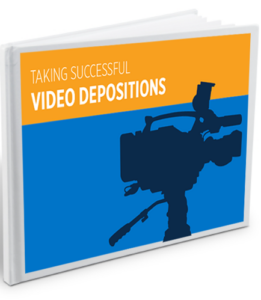
Taking Successful Video Depositions

Ninety percent of people remember what they hear and see. That’s why it’s critical that your visual media is carefully created. Don’t let traffic, distracting wallpaper or a witness’s extravagant jewelry take center stage during testimony. Learn from the basic tips in our easy-to-read, “Taking Successful Video Depositions” eBook. Crafted from advice and articles supplied by our expert video team, this how-to guide will help you produce the best video record possible. Discover useful pointers on topics like:

  • The Benefits of Adding Video
  • What to Consider When Scouting Your Location
  • How to Dress for the Camera
  • Keys to Your Witnesses’ Body Language
  • How to Eliminate Background Noise
  • Ways to Employ Technology to the Fullest
© Copyright 2025, Veritext, LLC | Starting June 30, credit card payments may incur a surcharge. No surcharge applies to ACH, check, or debit card payments. For Oklahoma-based consumers, the surcharge is 2%.