
Overview
Key Considerations When Conducting a Remote Proceeding
Your practical checklist for conducting a “fully-remote” legal proceeding or witness examination.

Key Considerations When Conducting a Remote Proceeding
Ensure any notices to other parties are general enough to allow for remote and/or videotaped taking of the record.
VIEW SAMPLE NOTICE LANGUAGE>
Confirm Veritext is aware of everything you will need for your proceeding. This will ensure proper preparation and setup. For example:
Prepare and test (all participants) well in advance of the proceeding.
Arrive and connect early on the day of the proceeding to ensure everything is ready and you are comfortable with the controls.
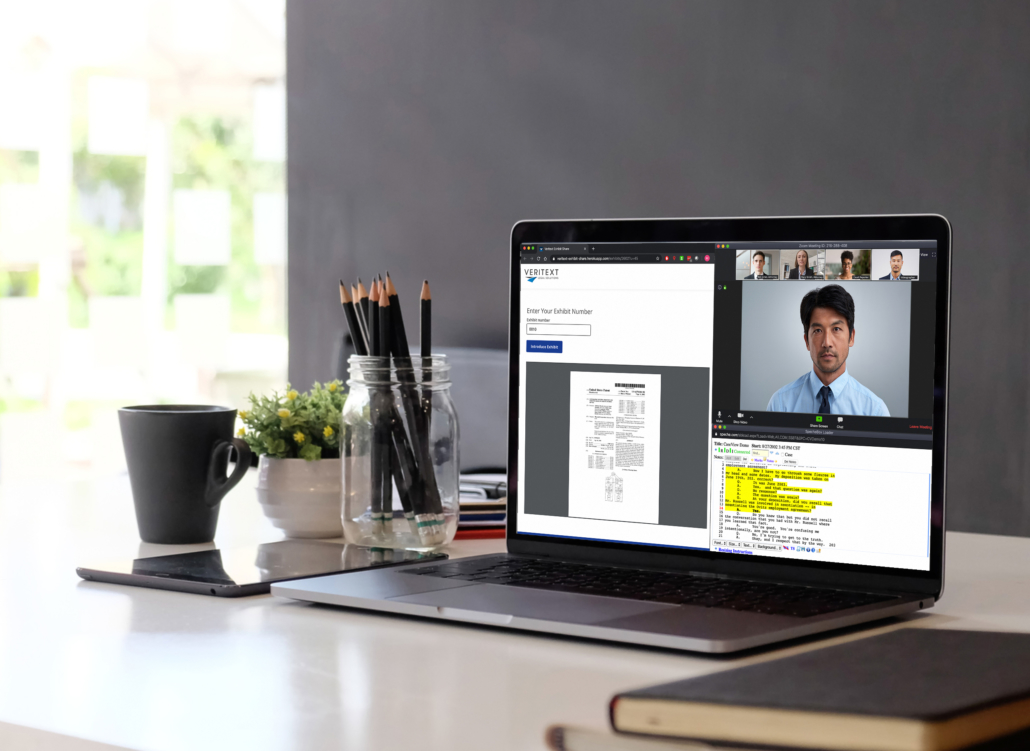
Ensure exhibits are ready for electronic display and/or distribution and that you, or an associate, are prepared to use the tools to mark and distribute exhibits electronically.
Ensure appropriate arrangements for “breakout rooms” are made in advance of the proceeding if required and agreed to by all parties. *Live Concierge Technical Support required.
Ensure appropriate stipulations are made prior to remote proceeding.
Explicitly declare “rules of conduct” for the proceeding so that the risk of inappropriate participant communication is mitigated.
(48+ HOURS PRIOR)
Ensure Veritext is aware of all the requirements and type of proceeding. Veritext’s client portal, MyVeritext, provides a simple form that asks for everything we need to know to set you up properly.
Ensure everyone participating is identified, equipped and their software configuration and network is tested.
Key considerations:
Your service provider should provide credentials for each participant and manage connectivity and usage testing for participants. Veritext does this for every Veritext Virtual proceeding.
If this is the first time using a provider’s platform, ensure that participants login 10-15 minutes prior to the proceeding to become familiar with the process and the use of the tools.
(30-60 MINUTES PRIOR)
Veritext will provide technical support when needed prior to and during the proceeding.
Set your presentation view prior to start and do not change during the proceeding. For example, do not enable/disable features that will change the view of the video as participants are speaking.
To ensure the highest quality audio, we recommend that participants dial in, or are dialed out to, separately from the web conference (i.e. not using “computer audio” for the conference.)
(DAY OF PROCEEDING)
Aside from the most active participants, all others should set their microphones to mute unless they are addressed or need to interrupt the proceeding. (Typically, the examining attorney, the witness and opposing counsel should be the only participants with their microphones unmuted.)
The witness should remain on camera in a full torso view, unmuted, with as little background noise as possible.
The witness is expected to be fully engaged in the proceeding without separate communication, unless otherwise agreed by the parties conducting the proceeding.
If an audio or video issue is detected, all parties will immediately seek agreement to go off the record and raise the issue to the attention of the Veritext tech support team. The Veritext tech support team can be contacted at 855.440.4861 or [email protected].
Private chat is not permitted during the proceeding; however, group chat may be utilized to call attention to an issue if an audio problem is experienced.
If required, “breakout room” telephonic or web conferences are to be held only at agreed-upon breakout times. *Live Concierge Technical Support required.
“As part of my admonition today, I want to make clear the expectations of communications with the deponent. During this proceeding, counsel and the deponent/client will have an opportunity to speak off the record at the appropriate time as if this was a deposition taking place in person. However, in this virtual setting, the expectation is that counsel will not be communicating with the deponent during this deposition while I’m on the record via text, email or other electronic means or vice-a-versa. Those exchanges can be viewed as taking place in my presence and not subject to the protections of attorney client privilege, sort of like you passing a note in front of me should we all be in the same room. It is also my understanding that the deponent is not with anyone else physically in the room/location where they are providing their testimony. If there is any one present with the deponent, at any time, let’s put on the record who is with the deponent.”
NOTE: The following sample admonitions language is for informational purposes only and not for the purpose of providing legal advice. We strongly encourage you to review your local, state and any emergency COVID-19 rules regarding the procedural requirements for conducting remote depositions.
(DAY OF PROCEEDING)
Prior to closing the proceeding, all parties should request copies of the transcript and video, if required, to ensure timely production and delivery. Provide contact information to the reporter.
At the close of the proceeding, when the reporter goes off the record, all parties should wrap up as follows to ensure security and privacy:
After the conclusion of the proceeding, the transcript and exhibits will be produced in the standard Veritext manner. Electronic versions will be made available on MyVeritext as well as delivered via an encrypted email hyperlink.

